
Binance account locked or restricted: what the official pages say
Published: Official pages last read: Editorial policy
Binance's help pages describe an unlock route for locked accounts, a separate appeal route for P2P suspensions and a warning about bank freezes after P2P trades. They do not state why accounts get locked or how long a review takes. Prepare your documents, use only Binance's own app and website, and treat anyone who offers a shortcut for a fee as a scam.
We are independent of Binance and not affiliated with it. We cannot influence its decisions, and nothing on this page is an official statement of Binance.
Questions about your case? Message us:
What the platform's own pages say
- The unlock page tells a user with a disabled account to log in, choose Unlock when the pop-up appears and complete security verifications that vary with the account status. [1]
- After the checks, the page says the result is a success, an under-review notice sent by email, or an unsuccessful result with the option to try again or contact customer support. [1]
- The page says that for up to 48 hours after a successful unlock you cannot withdraw funds or complete Binance P2P transactions. [1]
- The page does not state why accounts are locked, which ID documents are accepted, how many attempts are allowed or how long a review takes. [1]
- For P2P suspensions, a tab in the P2P user centre lists each restricted function with its reason, case ID, effective time and status, and appeals start from the Submit appeal option beside it. [2]
- The P2P page says appeals typically get a result within 30 minutes by SMS or email, that a second appeal cannot be sent while one is under review and that chat-based P2P appeals are no longer supported. [2]
- Binance's bank-freeze page says some P2P sellers had bank accounts frozen after trading with buyers who were later scammed, and it advises contacting the bank immediately and seeking legal advice if necessary. [3]
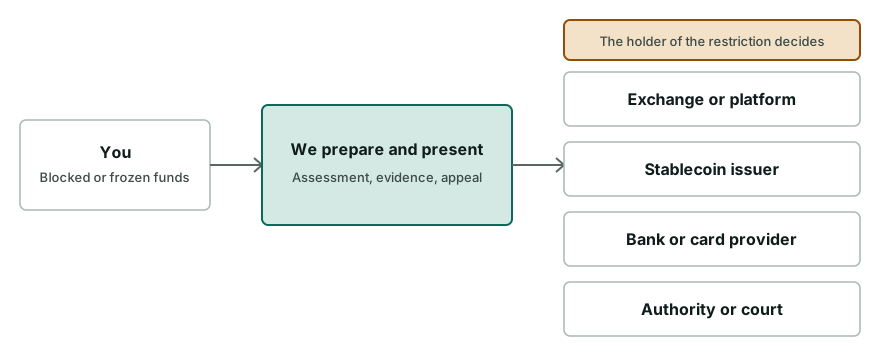
Typical restrictions
| Type of restriction | What it means |
|---|---|
| Locked or disabled account | The unlock page covers an account that is locked or disabled and shows an Unlock option after login. The page does not give reasons, so the notice inside your account is the clearest guide to which kind of restriction applies. |
| P2P function suspension | A suspension can apply to P2P trading functions only. It is listed with its reason and case ID in the P2P user centre, and you appeal from there, not by chat. |
| Pause after a successful unlock | After an unlock, the page states a window of up to 48 hours in which withdrawals and Binance P2P transactions are not available, so a successful result does not mean full access at once. |
| Bank account frozen after a P2P trade | This restriction sits at your bank, not at Binance. Binance's page describes the pattern and says to contact the bank, work with local authorities and seek legal advice if necessary. |
What you can do, step by step
- Read the notice
Open the app or website and read the exact message. Note the account status, any case ID and any date, and take screenshots before you do anything else.
- Use the official unlock route
Log in, choose Unlock when the pop-up appears and complete the security verifications. Use only Binance's own app or website for this step, never a link from a message.
- Prepare identity documents
Have the ID document you used for verification, good lighting and access to the email linked to the account. The unlock page does not list accepted documents, so follow the prompts you see.
- Check the result without repeating it
The result is a success, an under-review notice by email, or a failure with a retry option. Avoid repeated attempts and duplicate tickets, because the page names no attempt limit.
- Allow for the 48-hour window
After a successful unlock the page says to allow up to 48 hours before withdrawing funds or doing P2P transactions. Plan any urgent transfer around that delay.
- Appeal P2P suspensions in the P2P centre
For a P2P suspension, open the restrictions tab, check the reason and case ID and use Submit appeal with the requested documents and a factual explanation.
- Escalate through Binance Support
If the page shows that an appeal is unavailable or the unlock route fails, contact Binance Support through the official channel and keep every reference number.
What to prepare
- The ID document used for verification, with details and face clearly visible
- Screenshots of the restriction notice, case ID and dates
- For P2P appeals: bank statements or screenshots covering three months that show your name and card digits
- For P2P appeals: a payment proof video recorded on a second device, if requested
- Order numbers of the P2P trades involved, up to ten can be added
- A short written timeline of the trades and the restriction
Pitfalls and scams to avoid
- Never share your password, two-factor codes, seed phrase or private keys with anyone who offers to help unlock your account, including people who message you first.
- Use only Binance's own app and website. Links in messages, ads or social posts can lead to fake pages that harvest your login.
- Do not pay a stranger who promises to unlock an account. The official route on Binance's page does not involve a third party.
- Do not send edited or forged documents. A false document can end an appeal for good.
When outside help makes sense
- The account has been under review for much longer than any stated period and nobody replies
- Your bank froze an account after a P2P trade and asks for proof you cannot assemble
- A large balance is involved and several appeals have failed
- An authority rather than Binance seems to hold the restriction
Questions people ask
Why is my Binance account locked?
Binance's unlock page does not state the reasons. Restrictions can have several causes, so read the notice in your account for the stated status and follow its prompts. If the message is generic, ask support which information is needed.
How do I unlock my Binance account?
According to Binance's unlock page, you log in, choose Unlock in the pop-up and complete the security verifications, then read the result notice. The page says the steps vary with your account status.
How long does a Binance account review take?
The unlock page does not state a review duration. It says an under-review result is sent by email. After a successful unlock it says to allow up to 48 hours before withdrawing or trading P2P.
Can I withdraw right after Binance unlocks my account?
The unlock page says to allow up to 48 hours after a successful unlock before you withdraw funds or do Binance P2P transactions. Plan any transfer around that window.
What if my bank froze my account after a P2P trade?
Binance's page on this topic says to contact your bank immediately, work with local authorities using evidence of the trade and seek legal advice if necessary. It does not describe how to lift a bank freeze.
Is Binance.com the same as Binance.US?
No. They are separate services with separate help centres. Use the help pages of the service where your account is registered, because the steps and rules can differ.
Is this page from Binance?
No. We are independent of Binance and not affiliated with it. We summarise Binance's own help pages, link to them and cannot influence any decision Binance makes about your account.
Related services
- Exchange account unblocking. Understand the freeze, prepare KYC/AML evidence, answer compliance and appeal.
- P2P trade frozen funds support. Bank or exchange froze funds after P2P trading: document the trade and appeal.
- Crypto freeze diagnosis. Work out who froze your funds and what can realistically be done next.
Read next
Official pages read
Official or authoritative pages this page is based on. Pages change, so check the source for the current wording.
Information on this page is general and not legal advice.